iPhone / iPad
Install with Safari.
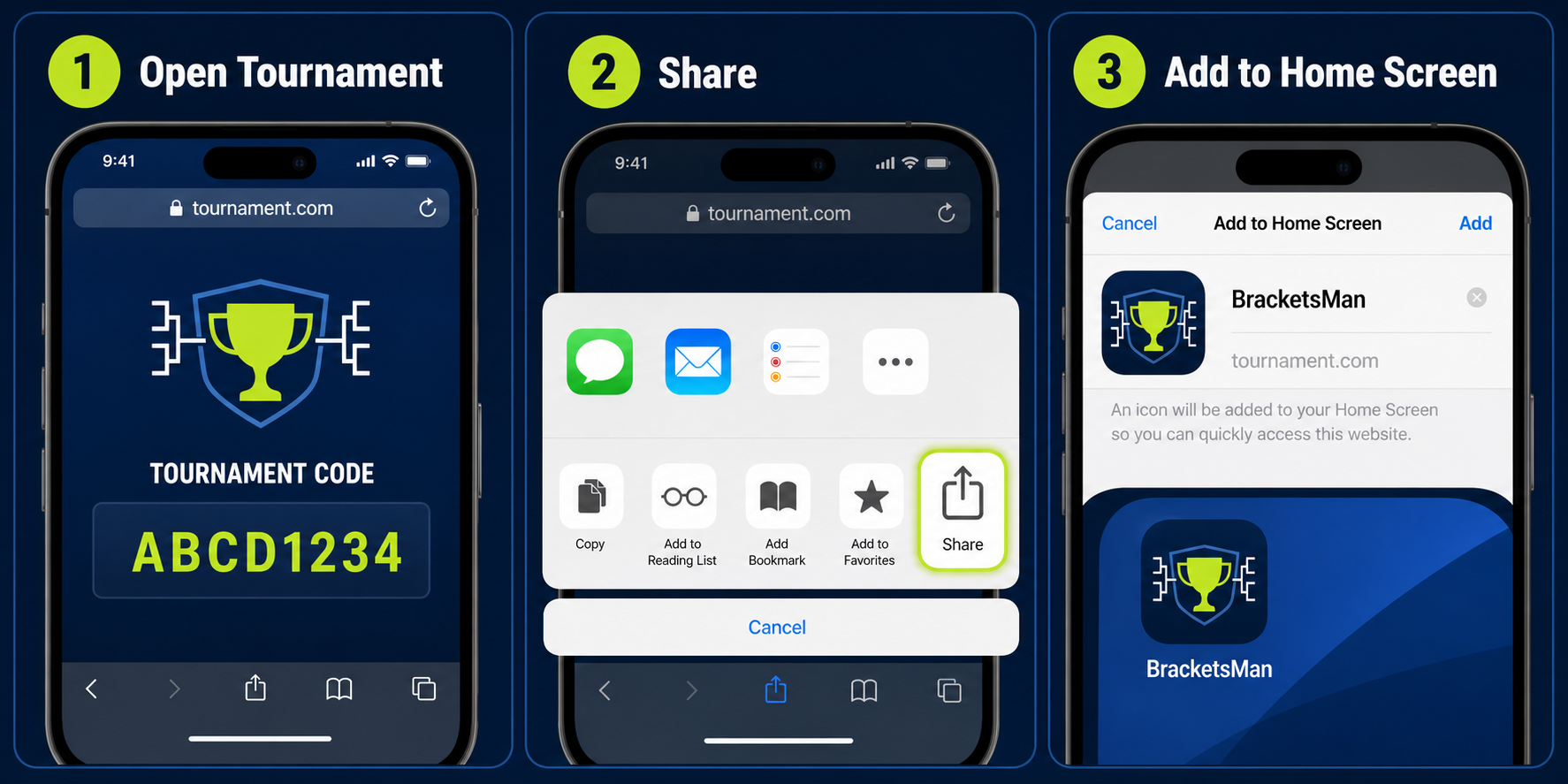
- Open bracketsman.com/tournaments/ in Safari.
- Tap the Share button.
- Choose Add to Home Screen, then tap Add.
Add the Tournament Brackets screen to your home screen for quick access to the tournament code, live brackets, player controls, and operator tools.
Install with Safari.
Add a shortcut with Chrome.
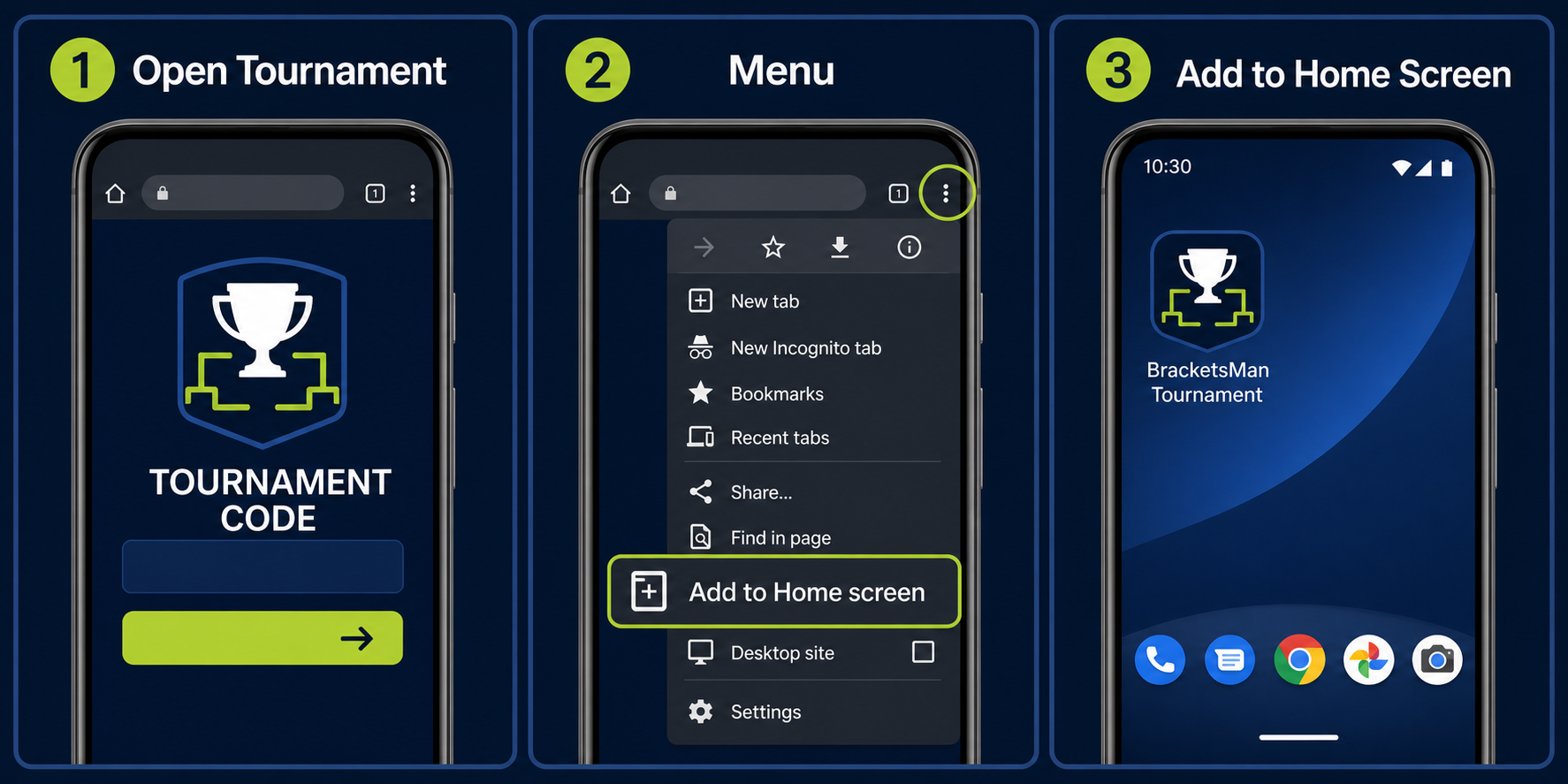
Tip: Launch the new BracketsMan icon from your home screen whenever you need to enter a tournament code or view live brackets.